
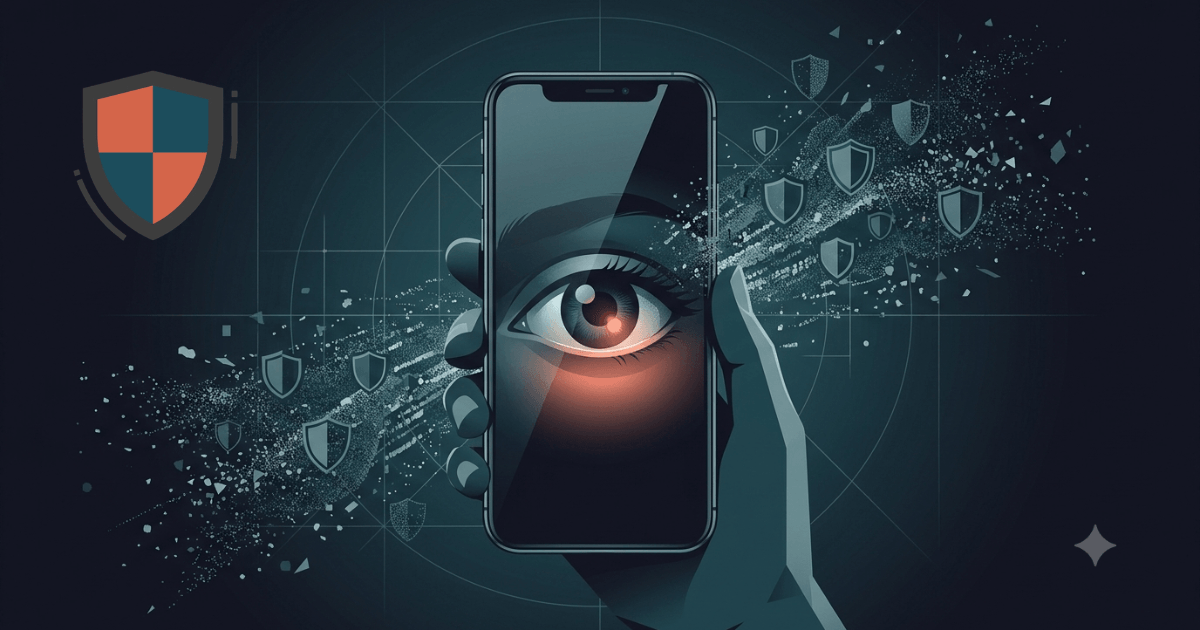
Why Your Email Provider Reads Your Messages (And What You Actually Own)
Affiliate Disclosure: Some links in this article are affiliate links. If you purchase through these links, we may earn a commission at no extra cost to you. We only recommend tools we use and trust.
In 2014, a Gmail user sued Google. The reason? Google was scanning her emails to serve her targeted ads. Google’s defence was blunt: she had “no legitimate expectation of privacy” when using their service. The court agreed. That was over a decade ago. The scanning has only got smarter.
This is not about conspiracy. It is about terms of service you clicked through, business models you fund every time you log in, and a fundamental question: why your email provider reads your messages, and what you can do about it.
This article explains exactly what your email provider sees, why it matters beyond advertising, and how to take that control back without torching your digital life.
How Your Email Provider Reads Your Messages
Most people assume email works like a letter: you seal it, post it, the recipient opens it. It does not. Standard email — SMTP, the protocol invented in 1982 — is closer to a postcard. Every server that handles it can read the content. Your provider stores it unencrypted on their servers. Their algorithms scan it. Their employees can access it under certain conditions. Their business partners may receive summaries of it.
Here is how it happens in practice, and why your email provider reads your messages at every stage:
1. Content Scanning at Rest
When your email sits in your inbox, it is stored as plain text on your provider’s servers. Google’s systems have analysed email content since 2004 to filter spam, but also to build advertising profiles. Microsoft scans Outlook messages to detect malware — a legitimate security function — but the same infrastructure can flag content for other reasons. In 2023, a Microsoft engineer reported that the company’s AI systems were trained on customer emails without explicit consent.
2. Metadata Harvesting
Even if the body of your email were somehow unreadable, the metadata is not. Who you email, when, how often, from what IP address, at what time of day — this data builds a behavioural map more revealing than the messages themselves. Former NSA technical director William Binney described metadata as providing “a total picture” of a person’s life.
3. Third-Party Access
Your email provider shares data. With advertisers. With analytics firms. With government agencies under legal compulsion. In 2023, Google reported processing over 150,000 government data requests globally. Yahoo famously scanned all incoming emails for the FBI in 2016. These are not edge cases. They are standard operating procedure — and a stark illustration of why your email provider reads your messages without your meaningful consent.
What They Actually See — And What They Do With It
Let us be specific. When you send an email through Gmail, Outlook, or Yahoo, the provider sees:
- Every word you write — scanned for keywords, sentiment, and topics
- Every attachment — analysed for content type, sometimes converted for preview
- Every recipient — mapped into your social graph
- Every link you click — often rewritten for tracking before you even see it
- Your location — derived from IP address and device data
- Your schedule — extracted from dates, flight numbers, appointment mentions
- Your purchases — receipts are a goldmine for spending patterns
- Your health concerns — medical appointments, pharmacy orders, insurance correspondence
- Your political interests — newsletter subscriptions, donation receipts, campaign emails
- Your relationships — frequency, tone, and network mapping
This data feeds into profiles that are sold, traded, and used to influence what you see, what you pay, and what you believe. It is not anonymous. Research from 2019 showed that four spatiotemporal data points are enough to uniquely identify 95% of individuals in a dataset. Your email metadata contains far more than four points.
Real-World Consequences
This is not abstract. In 2017, a Michigan man had his Amazon order history used against him in a murder trial. In 2022, a woman’s search history and emails were subpoenaed in a prosecution for seeking reproductive healthcare in the United States. Employers routinely screen email metadata during hiring. Insurance companies purchase aggregated data that includes communication patterns correlated with health conditions.
The surveillance is not the threat. The threat is what happens when that surveillance meets a decision that affects your life. Understanding why your email provider reads your messages is the first step toward stopping it.
The “Nothing to Hide” Myth
The most common response to email privacy concerns: “I have nothing to hide.” It sounds reasonable. It is also wrong in three specific ways.
1. You Do Not Control What Becomes Sensitive
In 2013, sending an email about Bitcoin made you a tech enthusiast. In 2025, in some jurisdictions, it triggers financial surveillance. In 2010, organising a protest via email was activism. In some countries now, it is evidence. The context changes. Your data does not. This is why the idea that your email provider reads your messages matters — the data they collect today may be weaponised tomorrow.
2. “Nothing to Hide” Assumes Good Faith
It assumes the entities reading your email act in your interest. They do not. They act in their interest — profit, compliance, political pressure. When Yahoo scanned emails for the FBI, the users had committed no crime. When Google trained AI on customer emails, no user had consented. Good faith is not a business model.
3. Privacy Is Not About Hiding — It Is About Control
You do not draw your curtains because you are doing something illegal. You draw them because some moments are not for public consumption. Email contains medical results, financial details, relationship struggles, job searches, family crises. These are not crimes. They are simply yours.
Privacy is the right to decide who sees what. When you use a provider that reads your email by default, you have surrendered that right without realising it. The question is not why your email provider reads your messages — it is why you let them.
What End-to-End Encryption Actually Means
Encryption is often described in vague, reassuring terms. Let us be precise.
Standard Email: No Encryption
When you send an email through Gmail to an Outlook address, it travels across the internet in plain text. It may use TLS — transport layer security — which encrypts it in transit between servers. But once it arrives, it is stored unencrypted. Gmail can read it. Outlook can read it. Any government with a warrant can read it. Any employee with access can read it. This is the default, and it is why your email provider reads your messages without technical barrier.
End-to-End Encryption: You Hold the Keys
With end-to-end encryption, your email is encrypted on your device before it ever leaves. It travels encrypted. It arrives encrypted. It is stored encrypted. Only you and your recipient hold the keys to decrypt it.
This means:
- The provider cannot read your messages — technically impossible, not a policy choice
- A government warrant cannot compel readable content — the provider has nothing to hand over
- A data breach exposes encrypted gibberish, not your correspondence
- An employee with server access sees noise, not your medical results
The trade-off is real: if you lose your key, the provider cannot recover your emails. That is the point. Privacy and convenience sit on a spectrum. End-to-end encryption chooses privacy.
Zero-Access Architecture
Some providers go further. Zero-access architecture means the provider encrypts your data in such a way that they never hold the decryption keys at all. Not on their servers. Not in their backups. Nowhere. Even if compelled, they cannot produce readable content because they never had it.
This is not marketing language. It is mathematics. And it is the difference between a promise and a proof — the only real answer to why your email provider reads your messages.
Your Options — An Honest Look
No provider is perfect. Here is an honest assessment of the main alternatives.
Option 1: Stay With Gmail/Outlook/Yahoo
Pros: Free, familiar, excellent spam filtering, deep integration with other services.
Cons: Your emails are scanned, profiled, and used to serve ads or train AI. Metadata is harvested continuously. Government access is routine. You are the product. This is the status quo that explains why your email provider reads your messages — because you are the revenue source.
Verdict: Convenient, but privacy is non-existent. Suitable only if you genuinely do not care who reads your correspondence.
Option 2: Use a Privacy-Focused Alternative
Several providers offer end-to-end encrypted email. The most established are Proton Mail, Tutanota, and StartMail. All use different technical approaches, but share a core principle: your emails are yours, not a data source.
Proton Mail is headquartered in Switzerland, outside EU and US surveillance agreements. It uses open-source, independently audited encryption. It offers custom domains, aliases, and a full ecosystem of privacy tools. The free tier is functional; paid plans unlock professional features.
Tutanota is German, GDPR-compliant, and encrypts subject lines — something Proton does not do by default. It is cheaper but has a smaller feature set and ecosystem.
StartMail is Dutch, privacy-focused but not end-to-end encrypted by default. It is a middle ground — better than Gmail, not as secure as Proton or Tutanota.
Verdict: For most people, Proton Mail offers the best balance of security, usability, and ecosystem. Tutanota is excellent for pure email. StartMail is a compromise.
Option 3: Self-Host Your Email
Pros: Complete control. No third party has your data.
Cons: Requires technical expertise. Deliverability is a nightmare — your emails will likely land in spam. You become your own security team. One misconfiguration and your server is compromised.
Verdict: Not recommended unless you are a systems administrator with time to spare. The security gains are outweighed by the operational risks.
Our Recommendation
For the vast majority of people, switching to a provider with end-to-end encryption and zero-access architecture is the right move. Proton Mail is the most mature option with the strongest third-party verification. It is not the only choice, but it is the one we trust enough to recommend.
Moving Without Losing Everything
The biggest barrier to switching email providers is not cost or complexity. It is inertia. Your Gmail account is fifteen years deep. Every service, every contact, every password reset flows through it. Moving feels like moving house without boxes.
It is manageable. Here is how.
1 Download Proton Pass (5 minutes)
Visit privora.click/proton-pass or download the app from your device’s app store. Proton Pass is available for iOS, Android, Windows, macOS, Linux, and as browser extensions for Firefox, Chrome, Brave, Edge, and Safari.
Install the browser extension now — you will need it later.
2 Forward, Do Not Abandon (5 minutes)
Set up email forwarding from your old address to your new one. Most providers offer this free. You will not miss anything, and you do not need to notify everyone on day one. This removes the pressure.
3 Update Critical Accounts First (20 minutes)
Banking. Insurance. Government services. Healthcare. Your password manager. These are the accounts where email compromise hurts most. Update the email address on each. Use this as an opportunity to audit your accounts — delete ones you no longer use.
4 Migrate Your Archive (30 minutes)
Most privacy-focused providers offer import tools. Proton Mail supports importing from Gmail, Outlook, and Yahoo directly. Your old emails will be encrypted on arrival. Be selective — you do not need promotional emails from 2019.
5 Update Your Contacts Gradually (Ongoing)
Reply to emails from your new address. Update your signature. Change your address on social media profiles. Over a month or two, your new address becomes your primary one. Your old address becomes a forwarder, then a backup, then closed.
6 Close the Old Account (5 minutes)
Once you are confident nothing critical flows through your old address, close it. Download any remaining data first. Then delete. The account that scanned your emails for a decade is gone — and with it, the reason why your email provider reads your messages.
Total active time: about 90 minutes. Spread over two weeks, it is invisible.
The “Is My Email Private?” Checklist
Print this. Tick it honestly. Use it to verify whether your email provider reads your messages — or whether you have finally shut them out.
Frequently Asked Questions
Can my employer read my work email?
Yes. In most jurisdictions, employers have the legal right to monitor work email. This is separate from provider surveillance — your employer owns the account. Use work email for work only. Route personal, sensitive, or job-search correspondence through a private account.
Does encryption slow down my email?
No. Modern encryption happens in milliseconds on your device. You will not notice a difference in send or receive speed. The only perceptible change is that you cannot recover your account without your recovery phrase — which is the entire point.
What if the recipient does not use encrypted email?
When you send to a non-encrypted address, the email leaves your provider encrypted, then is decrypted for delivery. The recipient’s provider can read it. This is unavoidable — you cannot force encryption on someone else’s system. For sensitive correspondence, both parties need encrypted accounts. Proton Mail users can send password-protected emails to non-users, which helps.
Is Proton Mail really safer than Gmail?
Technically, yes. Gmail scans, profiles, and monetises your data. Proton Mail cannot read your emails even if compelled. But “safer” depends on your threat model. If your primary concern is government-level targeted surveillance, no consumer email is enough. If your concern is mass data harvesting, profiling, and commercial exploitation — the core of why your email provider reads your messages — Proton Mail is meaningfully safer.
Can I keep Gmail for some things and Proton for others?
You can, but it undermines the point. Gmail will continue scanning whatever flows through it. The goal is to reduce your exposure, not eliminate it perfectly. If you must dual-wield, route all sensitive, personal, and financial email through the encrypted account. Use Gmail for newsletters, shopping, and other low-sensitivity traffic you do not mind being profiled.
Conclusion — Ownership Starts With Awareness
You do not need to become a privacy activist. You do not need to delete every account and live off-grid. You need to make one decision: whether your correspondence belongs to you, or to a company whose business model depends on reading it.
Email is the skeleton key to your digital life. Bank accounts, government services, healthcare, employment — all tied to that address. If someone controls your email, they control access to everything else. The provider that reads your messages is not a neutral postman. They are a participant in your correspondence.
The solution is not paranoia. It is mathematics. End-to-end encryption is not a belief system. It is a technical guarantee that your provider cannot read what you write. And that guarantee changes the relationship entirely — from user and product, to customer and service.
Start with your most sensitive account. Switch it. Forward your old address. Update your critical services. Then expand. One account at a time, one decision at a time, until your email is yours again — and the question of why your email provider reads your messages becomes a relic of the past.
Free to start. Swiss-grade encryption. You hold the keys.
